
Product Agent Roles
Mixed models, wired up for you.
Roomote splits each task across specialist roles (exploring, planning, coding, reviewing) and manages them for you, for the best results.
Give it a task and it moves through the roles on its own: one finds where the change goes, one reads the code, one plans, one writes, one reviews before it reaches you. You don't need to orchestrate the agents, just pick the best model for each.
Try now free
Meet the team
Once you (or an automation) start a task, these roles work together to get it done:
- 1Helper reads your request and sends it to the right place — the repo and environment it belongs in.
- 2Explorer digs through that codebase and comes back with the files that actually matter.
- 3Then Advisor plans the approach before coding starts, and handles when the Coder gets stuck.
- 4Coder makes the change and runs the tools, following the plan and your guidance.
- 5Finally, Reviewer reads the finished diff cold, checking it end-to-end for the bug the coder went blind to.
If any of your input can't be read by the coding model, like an image or video, the Vision model describes it.
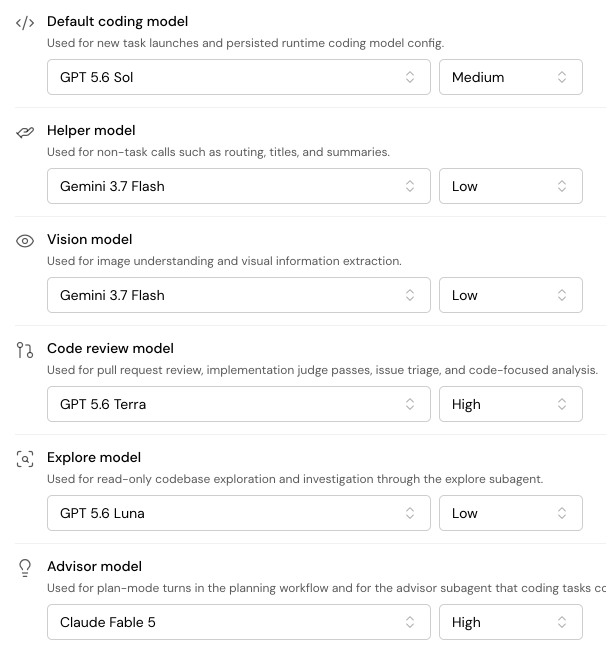
Pick the best model for each job. We'll help.
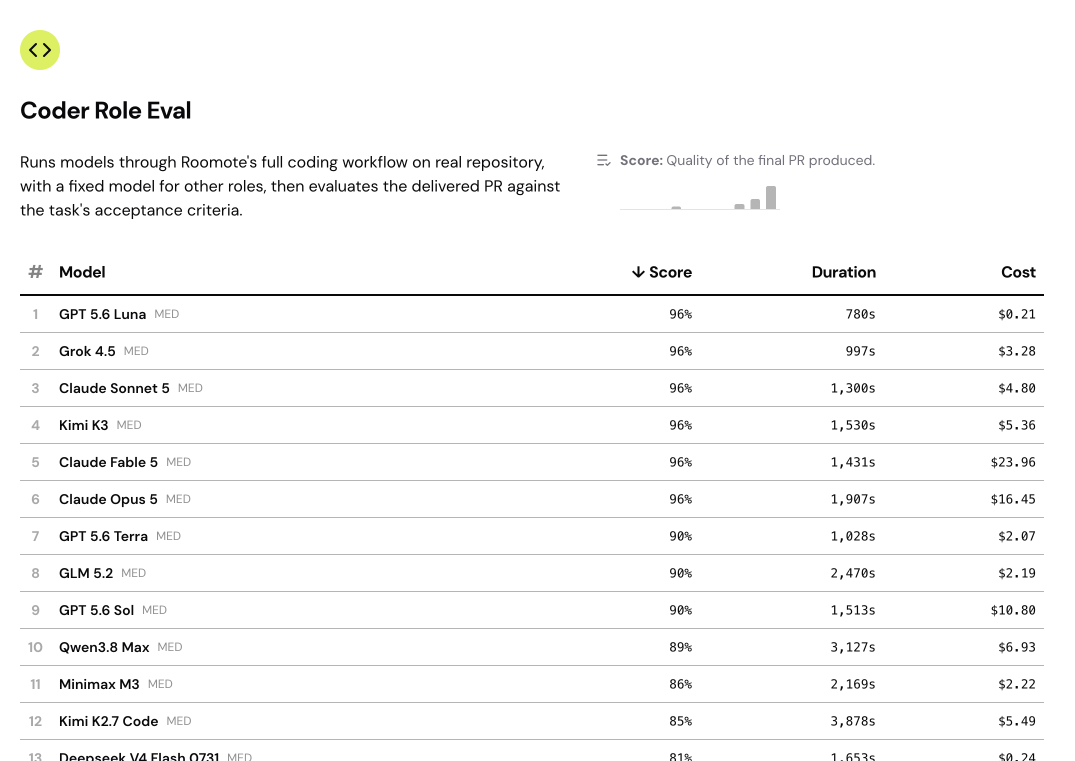
Use a frontier model for review and a fast, lower-cost model for exploration. Optimize for performance or cost.
Switch models per task, or mid-task. Bring a subscription, an API key, or your own models via local inference. Your credentials stay in Roomote, never in a task worker.
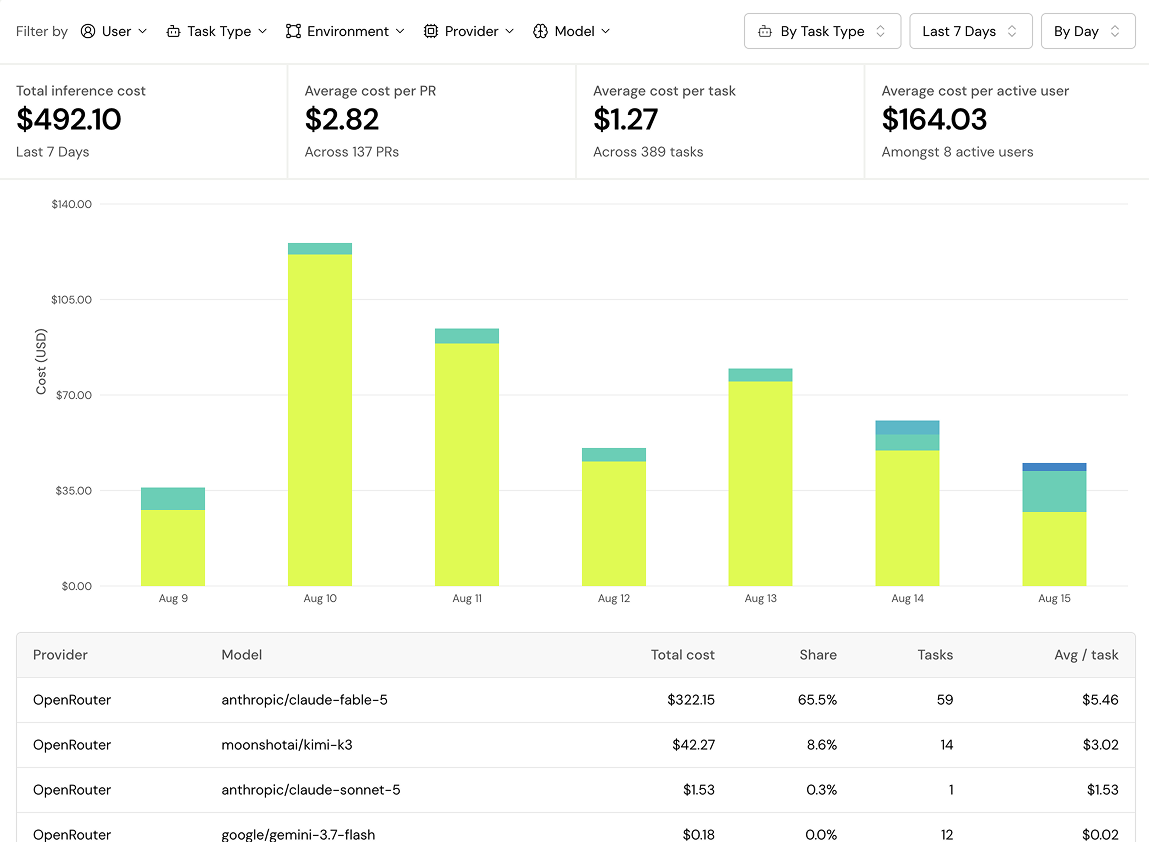
Keep costs under control
See exactly what each model costs you: per PR, task, user, environment, automation and more.
Close your laptop lid and get real productive.
Start free on Roomote Cloud, or deploy the same product on your own infrastructure.